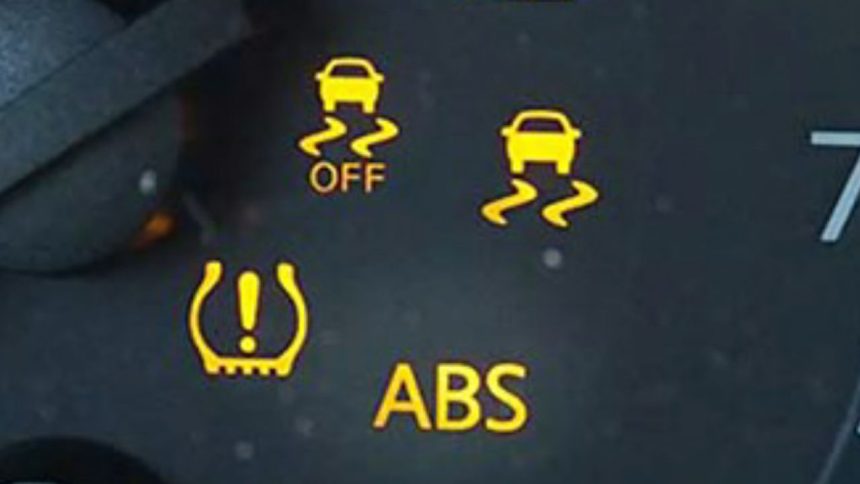
Disconnecting your car’s battery to clear an ABS/TC Error Code is an old mechanic’s hack that always works. The downside is that removing the battery, especially on most modern vehicles, often resets other vital systems like stereo presets, windows, and engine data – something most drivers want to avoid.
Can you clear ABS (Anti-Lock Braking System) or TC (Traction Control) warning lights without the perilous task of disconnecting your vehicle’s battery? Absolutely! It is possible to remove an ABS/TC Error Code with an OBD-II Scanner or by using a manual reset technique, in case you don’t own an OBD-II gadget.
There are a couple of simple steps involved that can be done in the comfort of your home, garage, or driveway. The following slides will help you understand how to do it and when to seek professional help.
Step-by-Step guide to clearing ABS/TC error codes

ABS and TC don’t just pop up for no reason – they are usually triggered when there’s a fault with your wheel speed sensors or modules or electricals on connecting components. When the module detects a fault or inconsistent data from a component, it triggers a warning light on the vehicle’s dashboard. While it’s safe to drive your vehicles with the ABS or Traction Control light on, it’s advisable to seek professional help to determine the root cause of the issue. That said, if you have an OBD II Scanner, you can check what triggered the warning lights and clear the ABS/TC codes without disconnecting the battery.
All you need to do is plug the scanner into your vehicle’s OBD-II port (located on the driver’s side beneath the dashboard, close to the hood release hatch). Once the gadget is secured into the port, turn on the ignition to “ON” without starting the engine. Scroll through the OBD-II Scanner’s menus to “Brake System” or “ABS” menu, and select “Clear Codes”, “Erase Codes”, or “Reset Light.” If the underlying problem is fixed, the light should turn off. On some vehicle models, you’ll need to turn off the car for a moment before turning it back on to see if the error disappears.
Depending on your vehicle model, you can also clear the codes manually by turning the ignition key to ON and OFF several times, or by pressing the brake pedal while switching the ignition mode. For instance, on GM, Hyundai, and Kia models, turning the key to the “ON” position (without starting), and quickly pressing the gas pedal three times will delete the codes. On Toyota (VSC system), with the car’s engine running, engage “Park” on the gear selector and hold the “VSC” button for 5 seconds until “TRAC OFF” and “VSC OFF” lights appear – then press the button once more.
When to seek professional help

It is important to note that clearing the ABS/TC error codes doesn’t fix the underlying problem; it only addresses the warning light. Therefore, if you have a faulty brake system, the light will still pop up again after driving for a few meters. If that happens (even after fixing the underlying issues), it means that the problem has not been fixed. Persistent warnings may mean your vehicle has a faulty ABS module, damaged tone ring or wheel speed sensor, or low or contaminated brake fluid.
If you are unable to clear the codes with an OBD-II Scanner or with manual presets, it is advisable to seek help from a professional repair shop or mechanic. Remember, clearing the codes correctly doesn’t just ensure proper brake system performance; it also doubles up as a safety precaution.