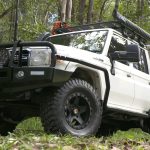
Changing tires can absolutely trigger ABS and Traction Control warning lights on your vehicle’s dashboard, especially when installing aftermarket brands that have different specs from factory labels. Aftermarket wheels that differ from factory specifications can confuse the ABS and wheel speed sensors – especially when the rolling circumference (overall diameter) of one axle changes and the wheels rotate at different speeds. As a result, the ABS/Traction Control system in your car assumes this as wheel slip.
It might be a little puzzling, especially to new car owners, but this mismatch (as small as it may be) can trigger dashboard warning lights for the ABS and, in some car models, the stability control system as well.
If you’ve noticed these warning lights on your vehicle, don’t panic. In this article, we will explain why stability systems are triggered, what you can check to determine the problem, and how to fix the issue safely without necessarily disabling your vehicle’s safety systems.
Why Aftermarket wheels/tires can confuse the ABS system

It’s essential to note that your vehicle’s computer systems are precisely calibrated for the original tire and wheel size. As a result, when there’s a slight change, the systems are compelled to trigger the warning lights associated with the mismatch. Each wheel in your vehicle comes with a tone ring/ABS ring (built in the hub or CV joint) – these components work by sending data to the vehicle’s ABS module. The ABS module, on the other hand, expects all wheels to rotate at matched speeds based on the OEM tire circumference.
For example, changing your tire specs from 215/60R17 to 265/65R17 dramatically increases your vehicle’s rear tire diameter. It’s important to note that larger tires rotate more slowly per mile compared to smaller ones. And as such, when the ABS module detects the front tires spinning faster than the rear tires, it assumes there’s wheel spin (triggering the traction control warning), loss of stability (triggering the ESC light), or incorrect wheel-speed data (illuminating the ABS warning light).
Staggered setups are popular among performance car aficionados; however, driving on different sizes on different axles is unsafe and can confuse the ABS computer, triggering warning lights. It doesn’t matter if all the tires are of the same size; if the overall diameter deviates from factory-calibrated specifications (typically more than 3% variance), the speed data sent to the vehicle’s computer will be incorrect.
This incorrect data leads your vehicle’s computer to assume there’s a malfunction in the braking or traction control system. As a safety measure, the system defaults to an “off” state, illuminating the ABS/Traction Control – and in some instances the brake warning lights on your vehicle’s dashboard.
What to check and fixes that work

Before installing aftermarket wheels and tires on your vehicle, compare the rolling circumference of the older tires with that of the new ones – you can use an online tire calculator. Also, compare the front and rear diameters. Anything above 3% can trigger ABS/Traction control lights.
If your vehicle throws the ABS and Traction Control light after fitting aftermarket tires and wheels, check that all tires have the same rolling circumference. If there’s a deviation, ensure it stays within a 2-3% difference from the stock setup. Next, clear all the errors using a scan tool. It’s recommended not to bypass or code out ABS/TC warnings, especially when trying to have a performance setup – it’s unsafe, and rarely works.
If you have to install bigger tires, make sure they are safer – for instance, instead of jumping from 215/60R17 to a huge 265/65R17, pick something like 225/65R17 or 225/70R16 (if you are running 16-inch rims). Still, it’s important to note that aftermarket tires are great for off-road comfort and stability – but only if chosen correctly.